SalesPartner
p +6444711849
  • Home
  • News
  • Software
    • SalesPartner Cloud
    • Websites
  • Pricing
  • Downloads
  • Contact us

Private Open Home Register

27/3/2019

0 Comments

 
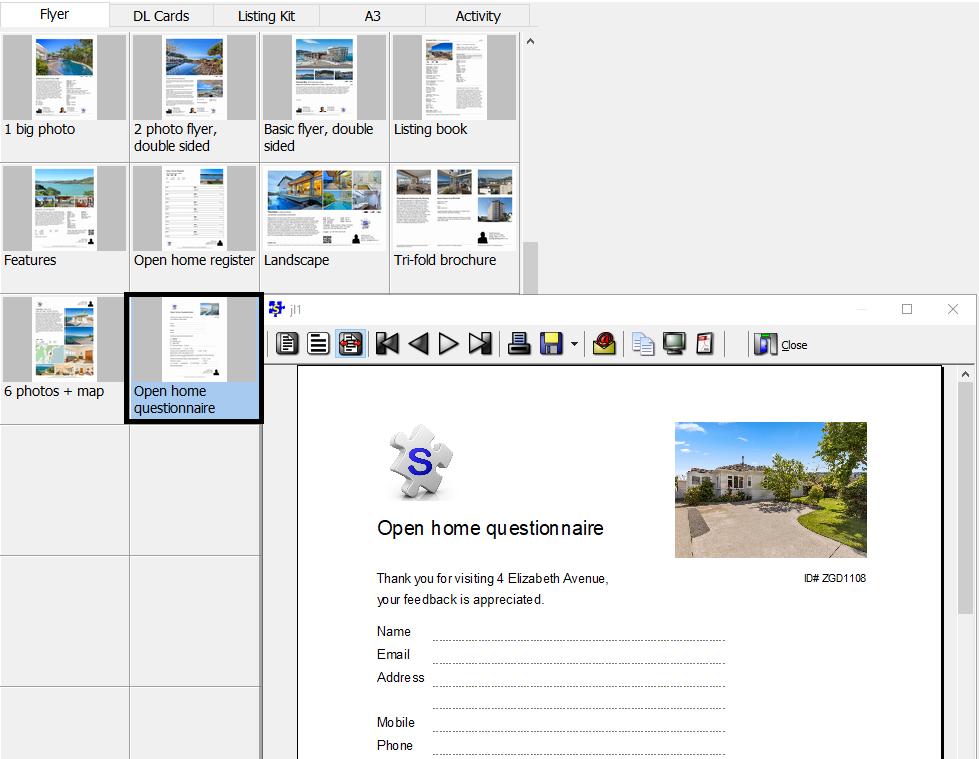
Question: Is there are private open home register template to ensure that visitors cannot see another open home attendee's comments and contact information?
In Listing Entry > Report > Flyer tab, try using the Open Home Questionnaire as a single page visitor survey form or in 2-up booklet format.
Picture
0 Comments

Version updates: 12.0.0.30 and 14.0.31.0

26/3/2019

0 Comments

 
Overhauled price rounding for Trade Me API uploads to add support for various 50k bands that were previously missing. For example where a listing that had a search price of 830k would be rounded up to 900k for Trade Me's Expected Sale Price this would now be rounded up to 850k.
0 Comments

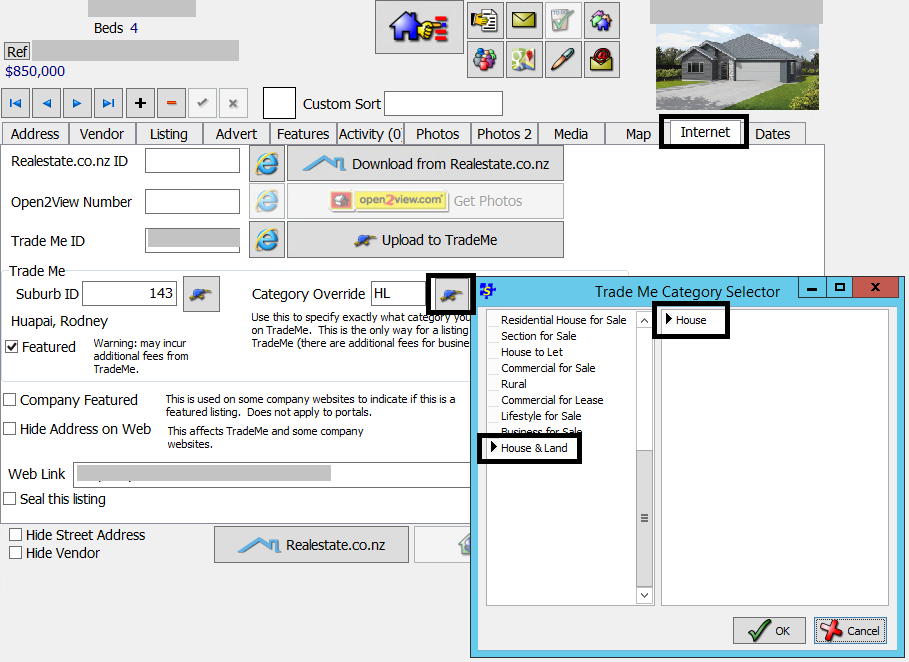
New Trade Me category: House and Land

13/3/2019

0 Comments

 
A new Trade Me listing category is available specifically for new house and land packages. This category is designed for use with new subdivisions and housing developments. Additional sub-categories are expected to become available from Q3 2019. The new House & Land category is only listed in the Trade Me Category Override options.
Picture
New categories are only supported for Trade Me API uploads (not FTP).
An update to support this change for version 12 and 14 is scheduled to publish on Tuesday 19th March 2019.
0 Comments

How to: Import REINZ sales statistics CSV (new portal)

6/3/2019

0 Comments

 
Follow this guide to export a sales statistics CSV from the new REINZ portal and import it into SalesPartner.

Part 1: Export a CSV file from reinz.co.nz

Log into https://reinz.co.nz/ using your REINZ username and password.
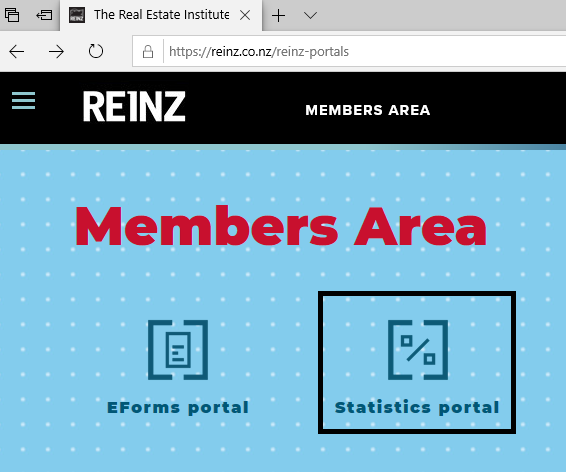
Open Statistics Portal, then re-enter your username and password to continue.
Picture
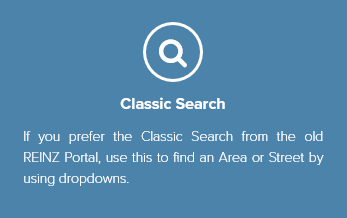
Open Classic Search
Picture
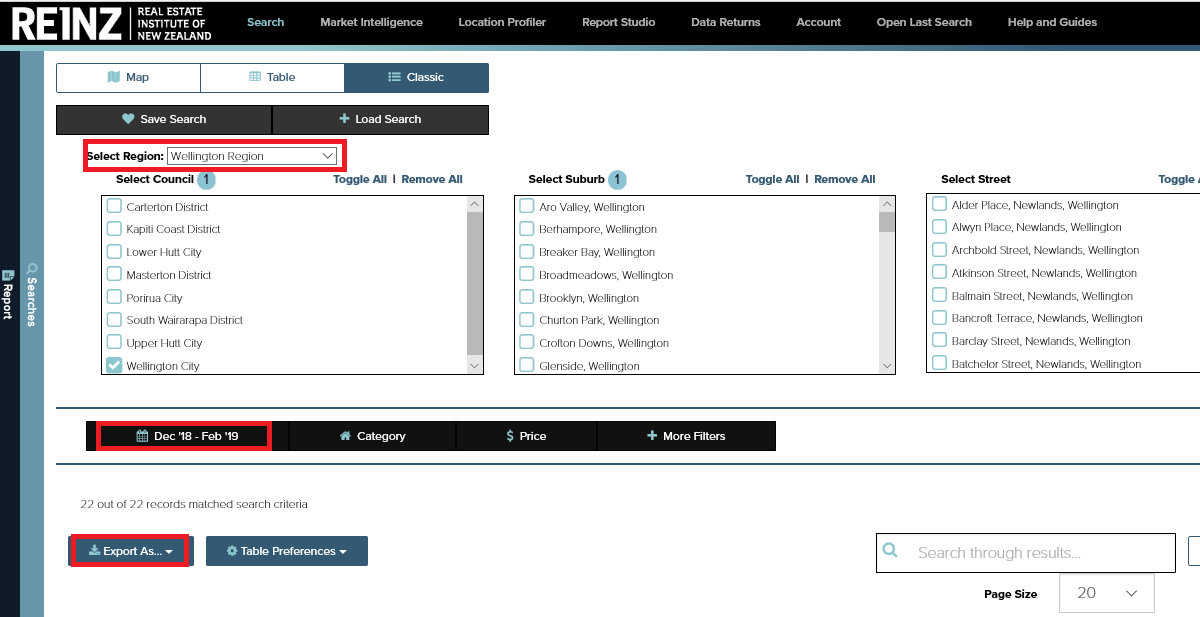
Select your desired region, council etc. Then choose a date range. Note: the old limit of 500 sales per export still applies.
Picture
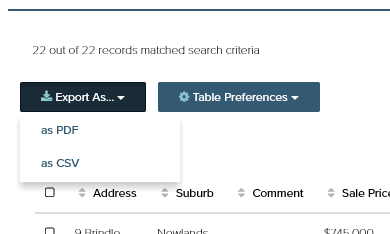
Click Export As... and select CSV from the drop down menu.
Picture
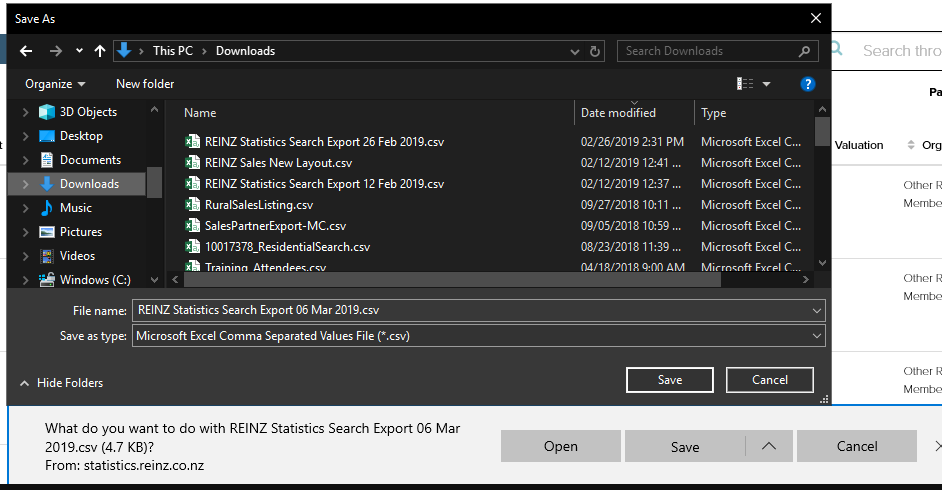
Save the CSV file onto your computer in Documents or Downloads.
Picture
Important: Do not open the CSV file using Excel prior to importing it into SalesPartner. Proceed directly with Part 2: Import.

Part 2: Import an REINZ stats CSV into SalesPartner

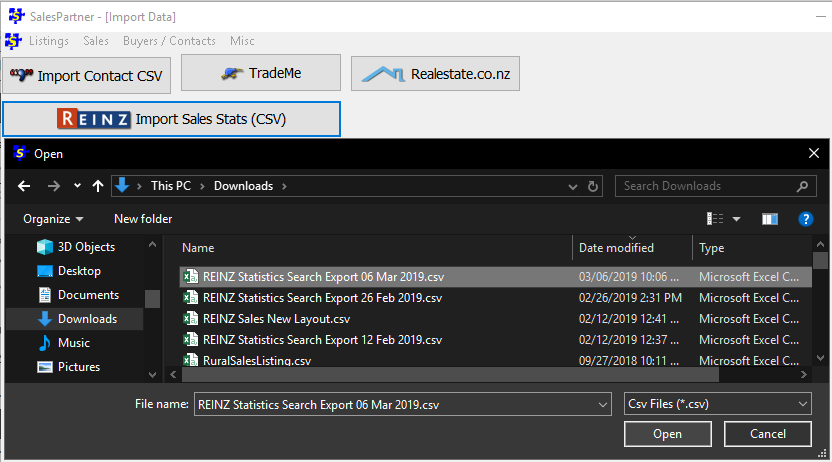
Open SalesPartner > More > Import Data > REINZ Import Sales Stats (CSV). Select and open the CSV file you exported in Part 1.
Picture
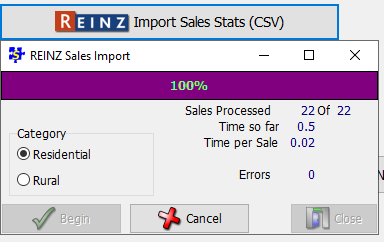
Click Begin to read in the sales CSV file. Note that the Category selection no longer matters because both Rural and Residential (and also Commercial) export tables all use the same layout.
Picture
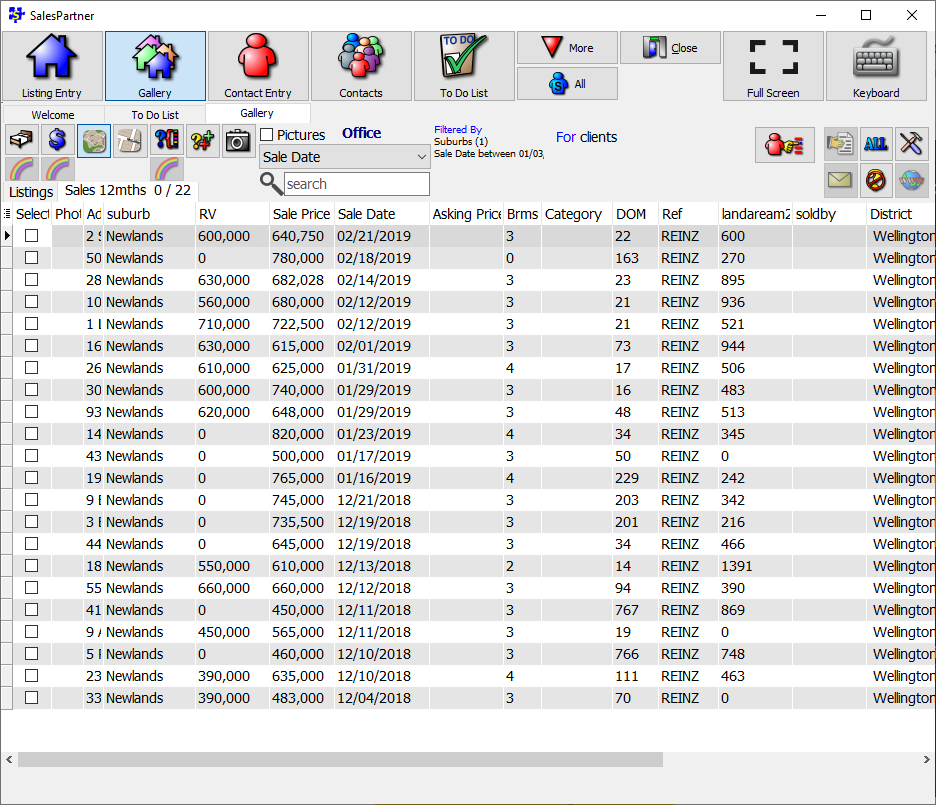
You can now view your imported sales statistics in the Gallery under the Sales tab.
Picture
0 Comments
    AnyDesk Windows Link
    AnyDesk Mac Link
    Log in

    Admin
    Geoff Duncan

    Archives

    June 2022
    October 2021
    September 2021
    August 2021
    July 2021
    June 2021
    May 2021
    April 2021
    March 2021
    February 2021
    January 2021
    December 2020
    November 2020
    October 2020
    September 2020
    August 2020
    July 2020
    June 2020
    May 2020
    April 2020
    March 2020
    February 2020
    January 2020
    December 2019
    November 2019
    October 2019
    September 2019
    August 2019
    July 2019
    June 2019
    May 2019
    April 2019
    March 2019
    February 2019
    January 2019
    December 2018
    November 2018
    October 2018
    September 2018
    August 2018
    July 2018
    June 2018
    May 2018
    April 2018
    March 2018
    February 2018
    January 2018
    December 2017
    November 2017
    October 2017
    September 2017
    August 2017
    July 2017
    June 2017
    May 2017
    April 2017
    March 2017
    February 2017
    January 2017
    December 2016
    November 2016
    October 2016
    September 2016
    August 2016
    July 2016
    June 2016
    May 2016
    April 2016
    March 2016
    February 2016
    January 2016
    December 2015
    November 2015
    October 2015
    September 2015
    August 2015
    July 2015
    June 2015
    May 2015
    April 2015
    March 2015
    February 2015
    January 2015
    December 2014
    November 2014
    October 2014
    September 2014
    August 2014
    July 2014
    June 2014
    May 2014
    April 2014
    March 2014
    February 2014
    January 2014
    December 2013
    November 2013
    October 2013
    September 2013
    August 2013

    Categories

    All

    RSS Feed

Picture
"SalesPartner helps me extract maximum value from my
biggest asset - my database".

Andrew Duncan
www.agentmonday.com


Picture
Developed in Wellington, New Zealand
SalesPartner Software - established in 1993
Leading-edge software for real estate salespeople